Device Mockups - Realistic Frames for Your Screenshots
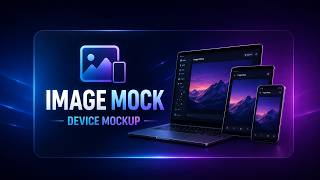
Drop in a screenshot and wrap it in a MacBook, iPhone, iPad, or browser frame. Pick Silver or Space Gray for devices. Pick Safari, Chrome, or Arc in light or dark for browsers. Export as a PNG ready for landing pages, app stores, and social posts.
Wrap a Screenshot in a Device Frame
Export pixel-perfect device mockups as PNG
Choose a category (Laptop, Smartphone, Tablet, or Browser), pick a variant, and the screenshot is wrapped in a realistic frame with the correct aspect ratio. Everything renders locally on your machine.
Note: 12 device frames included. Works offline — no uploads, no accounts, no watermarks.
12 Device Frames Included
Four categories covering laptops, smartphones, tablets, and desktop browsers. Every frame is drawn with the real device's aspect ratio and detailing.
Laptop
MacBook mockup with a 16:10 screen, rounded bezel, hinge, and keyboard base with a center groove.
- • MacBook Silver
- • MacBook Space Gray
Smartphone
iPhone mockup at 9:19.5 aspect with Dynamic Island, camera lens, mute switch, and volume and power buttons.
- • iPhone Silver
- • iPhone Space Gray
Tablet
iPad mockup in 3:4 portrait with aluminum frame, power and volume buttons, and a front camera lens.
- • iPad Silver
- • iPad Space Gray
Browser
Safari, Chrome, and Arc with traffic lights and a URL bar. Chrome adds a tab row with new-tab and nav buttons.
- • Safari Light / Dark
- • Chrome Light / Dark
- • Arc Light / Dark
Why Desktop Device Mockups Beat Online Tools
| Feature | Online Tools | Diwadi Desktop |
|---|---|---|
| Upload Required | ❌ Required | 🎯 Never |
| File Size Limit | ❌ 50MB max | ♾️ Unlimited |
| Speed | ⏳ Slow (upload/download) | ⚡ Instant |
| Batch Processing | ❌ 1 file | ✅ 1000s |
| Privacy | ⚠️ Risky (cloud upload) | 🔒 100% Local |
| AI Features | ❌ No | 🤖 Yes |
| Offline | ❌ No | ✅ Yes |
| Cost | Free | Free ✅ |
How It Works
Download & Install
Takes just 30 seconds. No account, no credit card required.
Browse & Select Your Screenshot (PNG, JPG)
Navigate your files like a regular file browser. Batch processing supported.
Get Mockup with Device Frame (PNG) (Instant)
Processing happens locally on your computer. No upload wait.
Why Choose Diwadi Desktop?
Privacy First
Files never leave your computer. No cloud upload, no data collection, 100% local.
Lightning Fast
Process files 10x faster than online tools. No upload wait, no download wait.
No Limits
Convert unlimited files of any size. Batch process thousands in one click.
AI-Powered
Smart formatting detection, auto-cleanup, better accuracy.
Works Offline
No internet required. Perfect for flights, secure environments.
Free to Use
No trial limits, no watermarks, no credit card required.
When You Need This
Real scenarios where a device mockup solves a specific problem.
Landing page hero shots
A raw screenshot looks flat on a product page. Wrap it in a MacBook or iPhone frame so the viewer sees "this is software running on a real device" at a glance.
App store & portfolio screenshots
Drop a screenshot into an iPhone or iPad frame to create marketing images with the correct aspect ratio — no Photoshop, no downloaded PSD templates, no plugins.
Sharing a web tool on social
Wrap a webpage screenshot in a Safari, Chrome, or Arc frame (light or dark) so it reads as "a website" on Twitter/X, LinkedIn, or a blog post — not a cropped rectangle.
Proprietary screenshots you can't upload
Unlike shots.so or mockup sites, Diwadi runs locally. Internal dashboards, unreleased features, and customer data never leave your machine.
Frequently Asked Questions
Which devices are available?
Twelve device frames ship in the app: MacBook Silver and MacBook Space Gray (laptops), iPhone Silver and iPhone Space Gray (smartphones), iPad Silver and iPad Space Gray (tablets), and Safari, Chrome, and Arc browsers — each in Light and Dark variants. The category is picked from a sidebar panel with Laptop, Smartphone, Tablet, and Browser sections.
What does the MacBook frame look like?
The MacBook frames use a fixed 16:10 screen aspect ratio — matching a real MacBook. The frame includes a silver or space-gray outer lid edge, a black inner bezel, a keyboard base with a center hinge groove, and a subtle shine band across the deck. The screen has rounded corners and your screenshot is drawn inside with object-cover sizing.
What's on the iPhone frame?
The iPhone mockup uses a 9:19.5 aspect ratio. It draws a titanium-finish frame with a gradient, a Dynamic Island (with a camera-lens indicator) centered near the top of the screen, a mute switch and volume up/down buttons on the left side, and a power button on the right. Silver and Space Gray variants control the frame color.
What's on the iPad frame?
The iPad mockup uses a 3:4 portrait aspect ratio with an aluminum-finish frame. It includes a power button and volume up/down buttons on the right side, a front camera lens at the top center, and rounded screen corners. Silver and Space Gray are the two finishes.
Which browser frames are supported?
Safari, Chrome, and Arc — each available in Light and Dark. Every browser frame draws the three macOS traffic-light buttons (red/yellow/green) and a URL bar. Chrome adds a two-row layout with a tab bar, new-tab button, back/forward/refresh icons, and a menu dots icon. Safari and Arc use a cleaner single-row layout.
Does it keep the aspect ratio of my screenshot?
Yes. Inside each device screen your image is drawn with object-cover behavior so it fills the screen area while keeping its aspect ratio. The outer frame locks to the real device aspect ratio (16:10 for MacBook, 9:19.5 for iPhone, 3:4 for iPad), so mockups always look proportionally correct.
What export format does it use?
Device mockups export as PNG. You can save the PNG to a file on disk or copy it directly to your clipboard for quick pasting into Keynote, Figma, chat apps, or social media.
How is this different from online mockup tools?
Online mockup tools require uploading your screenshots to a server. Diwadi runs entirely on your desktop — your screenshots never leave your machine. That matters when you're mocking up unreleased features, internal dashboards, or anything with customer data. You also get faster exports with no upload wait, and it works fully offline.
You might also need:
Device Mockup Guide
Wrap screenshots in MacBook, iPhone, iPad, and browser frames
Code Snapshot Guide
Turn code snippets into beautiful shareable images
Shots.so Alternative
Offline device mockups — screenshots never leave your device
Carbon Alternative
Native code-snapshot tool that runs locally with clipboard export
Ray.so Alternative
Local code screenshots with no Raycast tie-in