AVI to MP4 Converter - Free Desktop App
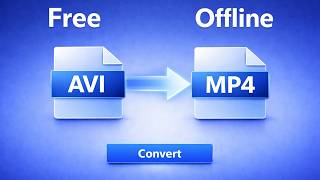
Convert AVI to MP4 offline. Batch convert legacy videos for modern compatibility with hardware acceleration. Works on Mac & Windows.
Convert Your Videos
Modern format compatibility
Your AVI videos will be converted to MP4 for modern device and platform compatibility. MP4 works on all devices while AVI is a legacy format.
Note: Hardware acceleration makes video conversion 5-20x faster using your GPU.
Why Desktop AVI Converter Beats Online Tools
| Feature | Online Tools | Diwadi Desktop |
|---|---|---|
| Upload Required | ❌ Required | 🎯 Never |
| File Size Limit | ❌ 50MB max | ♾️ Unlimited |
| Speed | ⏳ Slow (upload/download) | ⚡ Instant |
| Batch Processing | ❌ 1 file | ✅ 1000s |
| Privacy | ⚠️ Risky (cloud upload) | 🔒 100% Local |
| AI Features | ❌ No | 🤖 Yes |
| Offline | ❌ No | ✅ Yes |
| Cost | Free | Free ✅ |
How It Works
Download & Install
Takes just 30 seconds. No account, no credit card required.
Browse & Select Your AVI files
Navigate your files like a regular file browser. Batch processing supported.
Get MP4 files (Instant)
Processing happens locally on your computer. No upload wait.
Why Choose Diwadi Desktop?
Privacy First
Files never leave your computer. No cloud upload, no data collection, 100% local.
Lightning Fast
Process files 10x faster than online tools. No upload wait, no download wait.
No Limits
Convert unlimited files of any size. Batch process thousands in one click.
AI-Powered
Smart formatting detection, auto-cleanup, better accuracy.
Works Offline
No internet required. Perfect for flights, secure environments.
Free to Use
No trial limits, no watermarks, no credit card required.
When You Need This
Real scenarios where this conversion solves a specific problem.
CCTV surveillance footage won't play or upload
Most DVR systems export in AVI format. Convert to MP4 to play on any device or upload to insurance and police portals.
Learn more →AVI evidence file for insurance claim
Security camera footage in AVI format can't be uploaded to insurance portals that require MP4.
Learn more →Old AVI video from legacy camera or system
AVI was the standard video format from 1992-2010. Found old recordings? Convert to MP4 for modern playback.
Learn more →Court exhibit in AVI format needs MP4
E-filing systems require standard MP4 format. Convert AVI surveillance or camera footage for court submission.
Learn more →Frequently Asked Questions
Can I convert CCTV surveillance AVI footage to MP4 without losing quality?
Yes. Diwadi converts AVI surveillance footage to MP4 using the H.264 codec at the same bitrate as the original, so there is no visible quality loss. For DVR exports that use MJPEG or H.264 inside the AVI container, the conversion re-encodes into a universally compatible MP4 file while preserving the original resolution and frame rate.
Why do security cameras and DVR systems still record in AVI format?
Many DVR and NVR systems — especially older models from Swann, Lorex, and Samsung — were designed when AVI was the dominant video container. AVI's simple structure made it reliable for continuous recording. Manufacturers kept using it for backward compatibility with existing installations. Newer systems are moving to MP4 or MKV, but millions of legacy DVRs still export AVI exclusively.
Does converting AVI to MP4 remove timestamps or metadata from surveillance footage?
The burned-in timestamps that appear directly on the video frames (the white text overlay showing date and time) are preserved because they are part of the video image itself. However, metadata stored in the AVI container header — such as creation date and device info — may not transfer to the MP4 container since the two formats store metadata differently. If you need to preserve metadata for legal purposes, keep the original AVI file alongside the converted MP4.
How much smaller will my AVI files be after converting to MP4?
It depends on the original AVI codec. AVI files using older codecs like MJPEG can be 5-10x larger than an equivalent H.264 MP4. For example, 1 hour of MJPEG surveillance footage at 1080p might be 15-25 GB as AVI but only 2-4 GB as MP4. If the AVI already uses H.264 internally, the size difference will be minimal — you are mainly changing the container for compatibility.
Can I batch convert hundreds of DVR AVI files at once?
Yes. Diwadi supports batch conversion — drag an entire folder of AVI files and they will all be converted to MP4. This is especially useful for security professionals who need to convert weeks of DVR exports. The app processes files in parallel using hardware acceleration, so converting 100+ files takes minutes rather than hours.
My AVI file uses DivX or Xvid codec and won't play. Can Diwadi convert it?
Yes. Diwadi handles all common AVI codecs including DivX, Xvid, MJPEG, H.264, MPEG-4, and Indeo. These older codecs are the main reason AVI files fail to play on modern devices — macOS and iOS dropped support for DivX/Xvid years ago. Converting to MP4 with H.264 ensures the video plays on every device and platform.
Does AVI to MP4 conversion re-encode the video or just remux it?
It depends on the source codec. If the AVI file contains H.264 video, Diwadi can remux (repackage) it into an MP4 container almost instantly with zero quality loss. If the AVI uses an older codec like MJPEG, DivX, or Xvid, the video must be re-encoded to H.264, which takes longer but produces a much more compatible and often smaller file. Diwadi automatically detects the codec and chooses the fastest path.
Does hardware acceleration help with large AVI file conversion?
Yes, significantly. Hardware acceleration uses your GPU (Apple Silicon, Intel Quick Sync, or NVIDIA NVENC) to encode video 5-20x faster than CPU-only conversion. A 10 GB AVI surveillance file that would take 30 minutes with CPU encoding can finish in 2-5 minutes with hardware acceleration enabled. This is especially important when batch converting large DVR exports.
Why won't my AVI files play on Mac or iPhone?
Apple removed support for many AVI codecs starting with macOS Catalina and iOS 13. AVI files using DivX, Xvid, or MPEG-4 Part 2 simply will not open in QuickTime, Photos, or any iOS video player. Even AVI files with supported codecs often fail because the AVI container itself has limited support on Apple devices. Converting to MP4 is the permanent fix — MP4 plays natively on every Apple device.
Can I convert AVI surveillance footage for court evidence or insurance claims?
Yes. Diwadi processes everything locally on your computer — your footage is never uploaded to any server, which is critical for chain-of-custody requirements. The conversion preserves the original video frames, resolution, and any burned-in timestamps. For legal use, we recommend keeping the original AVI file as the primary evidence and using the MP4 conversion for playback in court or submission to insurance portals that require MP4 format.
You might also need:
Learn More
Understand video formats, compression, and how Diwadi compares to alternatives