Convert Audio Files - Free Desktop App
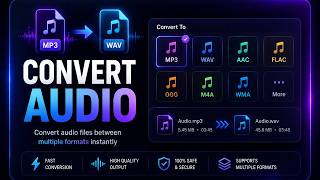
Convert between MP3, AAC, WAV, FLAC, and OGG offline. Pick a target format and bitrate, and Diwadi does the rest with bundled FFmpeg. Batch convert entire folders, no file size limits, no accounts, no uploads.
Convert Audio Files
Batch convert in seconds, not hours
Drop in any audio file, pick MP3 / AAC / WAV / FLAC / OGG, and Diwadi writes the converted file next to the original. Nothing uploads.
Note: Tip: WAV and FLAC are lossless - the bitrate setting is ignored for them.
Why Desktop Audio Conversion Beats Online Tools
| Feature | Online Tools | Diwadi Desktop |
|---|---|---|
| Upload Required | ❌ Required | 🎯 Never |
| File Size Limit | ❌ 50MB max | ♾️ Unlimited |
| Speed | ⏳ Slow (upload/download) | ⚡ Instant |
| Batch Processing | ❌ 1 file | ✅ 1000s |
| Privacy | ⚠️ Risky (cloud upload) | 🔒 100% Local |
| AI Features | ❌ No | 🤖 Yes |
| Offline | ❌ No | ✅ Yes |
| Cost | Free | Free ✅ |
Which Format Should You Pick?
All five formats work. These short notes tell you when each one is the right tool.
| Format | Family | Compatibility | When to pick it |
|---|---|---|---|
| MP3 | Lossy | Universal | Plays everywhere. Default for the last 25 years. |
| AAC | Lossy | Apple, modern | Sounds slightly better than MP3 at the same bitrate. iTunes default. |
| OGG | Lossy | Open-source, games | Royalty-free Vorbis codec. Popular in indie games and Linux. |
| WAV | Lossless | Universal (large) | Uncompressed PCM. About 10 MB/minute. Perfect for editing. |
| FLAC | Lossless | Modern players | Lossless compression — half the size of WAV, bit-identical. |
Rule of thumb: MP3 at 192 kbps for sharing, FLAC for archival.
How It Works
Download & Install
Takes just 30 seconds. No account, no credit card required.
Browse & Select Your Any Audio File
Navigate your files like a regular file browser. Batch processing supported.
Get Converted Audio (Instant)
Processing happens locally on your computer. No upload wait.
When You Need This
Real-world conversion scenarios.
M4A voice memos to MP3
Your iPhone records in M4A. A lot of older players, some DAWs, and certain podcast hosts want MP3. Convert in batch, preserve the recording date.
MP3 to WAV for editing
Audacity, ProTools, and some plugins work better on uncompressed PCM. Convert before editing, then export back to MP3 or AAC when done.
FLAC library to MP3 for car or phone
Archive in FLAC, listen in MP3. Batch-convert an entire folder tree down to 256 kbps MP3 for your car stereo or phone.
WAV to OGG for Unity or Godot
Game engines prefer OGG Vorbis for its small size and royalty-free licensing. Drop WAV assets in, convert, and ship.
Why Choose Diwadi Desktop?
Privacy First
Files never leave your computer. No cloud upload, no data collection, 100% local.
Lightning Fast
Process files 10x faster than online tools. No upload wait, no download wait.
No Limits
Convert unlimited files of any size. Batch process thousands in one click.
AI-Powered
Smart formatting detection, auto-cleanup, better accuracy.
Works Offline
No internet required. Perfect for flights, secure environments.
Free to Use
No trial limits, no watermarks, no credit card required.
Frequently Asked Questions
Which audio formats does Diwadi support?
Diwadi converts between the five most common formats: MP3 (universal lossy), AAC (iTunes, modern default), WAV (lossless PCM, Windows standard), FLAC (lossless compressed, audiophile favorite), and OGG Vorbis (open-source lossy). Source files can be any format FFmpeg understands, including M4A, WMA, and OPUS.
When should I pick MP3 vs AAC vs OGG?
MP3 is the safest choice - every device on Earth plays it. AAC at the same bitrate sounds slightly better than MP3 and is Apple's default. OGG Vorbis is royalty-free and popular with game developers and open-source projects. For most use cases, stick with MP3 at 192 kbps.
Should I convert to WAV or FLAC for archival?
Both are lossless. WAV is uncompressed - 10 MB per minute at CD quality. FLAC compresses losslessly to about 5-6 MB per minute with identical audio. Choose FLAC unless you need compatibility with very old software that cannot read it.
Will converting MP3 to WAV improve quality?
No. Once audio has been compressed to MP3, the data removed during encoding is gone forever. Converting MP3 to WAV just gives you a bigger file with the same audio. Only convert lossy to lossless when a workflow requires it (certain DAWs or editors).
Can I batch convert a whole folder?
Yes. Select a folder of audio files, pick a target format, and Diwadi converts them all in parallel into a new 'converted_{format}' folder. Originals stay untouched. Perfect for converting an entire iTunes library, podcast archive, or recording dump.
What bitrate should I pick for conversion?
128 kbps for voice. 192 kbps for most music. 256 kbps if you have good headphones. 320 kbps for archival or high-fidelity listening. WAV and FLAC are lossless, so bitrate does not apply - the setting is ignored for those formats.
How does Diwadi compare to online converters like CloudConvert?
Diwadi is offline. Nothing leaves your machine. Online converters require uploading every file, cap file size at 100-1000 MB, and charge for bulk conversions. Diwadi has no upload, no cap, no charge, no account.
Is this actually free, or is there a trial?
Completely free and unlimited. No trial period, no watermarks, no file count limit, no credit card required.
You might also need:
Learn More
Comparisons and alternatives for audio transcription