Rename Files with Patterns
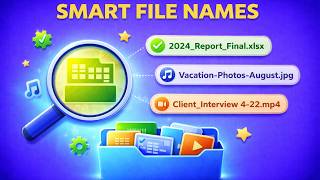
Rename files instantly with smart patterns. Convert to snake_case, kebab-case, Title Case, add prefixes and suffixes. Works offline, processes locally, keeps your files private.
Rename Your Files
My Document (1).pdf → my-document.pdf
Select a quick format pattern and instantly transform your filenames. Preview changes before applying.
Note: File extensions are preserved automatically. Only the filename is modified.
Why Desktop File Rename Beats Manual Renaming
| Feature | Online Tools | Diwadi Desktop |
|---|---|---|
| Upload Required | ❌ Required | 🎯 Never |
| File Size Limit | ❌ 50MB max | ♾️ Unlimited |
| Speed | ⏳ Slow (upload/download) | ⚡ Instant |
| Batch Processing | ❌ 1 file | ✅ 1000s |
| Privacy | ⚠️ Risky (cloud upload) | 🔒 100% Local |
| AI Features | ❌ No | 🤖 Yes |
| Offline | ❌ No | ✅ Yes |
| Cost | Free | Free ✅ |
How It Works
Download & Install
Takes just 30 seconds. No account, no credit card required.
Browse & Select Your Selected Files
Navigate your files like a regular file browser. Batch processing supported.
Get Renamed Files (Instant)
Processing happens locally on your computer. No upload wait.
Why Choose Diwadi Desktop?
Privacy First
Files never leave your computer. No cloud upload, no data collection, 100% local.
Lightning Fast
Process files 10x faster than online tools. No upload wait, no download wait.
No Limits
Convert unlimited files of any size. Batch process thousands in one click.
AI-Powered
Smart formatting detection, auto-cleanup, better accuracy.
Works Offline
No internet required. Perfect for flights, secure environments.
Free to Use
No trial limits, no watermarks, no credit card required.
When You Need This
Real scenarios where renaming files with patterns saves hours of tedious manual work.
Organizing photo libraries
Rename hundreds of photos from "IMG_1234.jpg" to consistent, descriptive names like "vacation-2024-001.jpg" in seconds.
Cleaning up downloaded files
Remove spaces, special characters, and copy artifacts from downloaded files. Turn "Document (1) (copy).pdf" into "document.pdf".
Preparing files for web/code
Convert filenames to kebab-case or snake_case for web assets, code projects, or systems that don't handle spaces well.
Adding version numbers or dates
Add prefixes like "2024-03-" or suffixes like "_v2" to organize files by date, version, or project code.
Frequently Asked Questions
What renaming patterns are available?
Diwadi supports multiple patterns: snake_case (file_name), kebab-case (file-name), lowercase, UPPERCASE, Title Case, remove spaces, clean copy (removes special characters), add prefix, and add suffix. Apply any pattern to hundreds of files instantly.
Can I rename multiple files at once?
Yes! Select multiple files or entire folders and apply renaming patterns to all of them at once. Rename 100s or 1000s of files in seconds instead of hours of manual work.
Will renaming affect my file contents?
No. Renaming only changes the filename, not the file contents. Your documents, images, videos, and data files remain completely unchanged inside.
Can I preview changes before renaming?
Yes! Diwadi shows you exactly how each file will be renamed before you apply changes. Review the before/after names and cancel if needed.
What does 'Clean copy' do?
Clean copy removes special characters, multiple spaces, and problematic characters from filenames. Perfect for files with copy-paste artifacts like 'document (1) (copy).pdf' becoming 'document.pdf'.
Can I add custom prefixes or suffixes?
Yes! Add any text before (prefix) or after (suffix) your filenames. Great for adding dates, project codes, version numbers, or organizing files into categories.
Does it work on all file types?
Yes! File renaming works on any file type - documents, images, videos, spreadsheets, code files, or any other file. The file extension is preserved automatically.
Is file renaming safe?
Completely safe. All renaming happens locally on your computer. Files never leave your device. You can always rename files back if needed.